
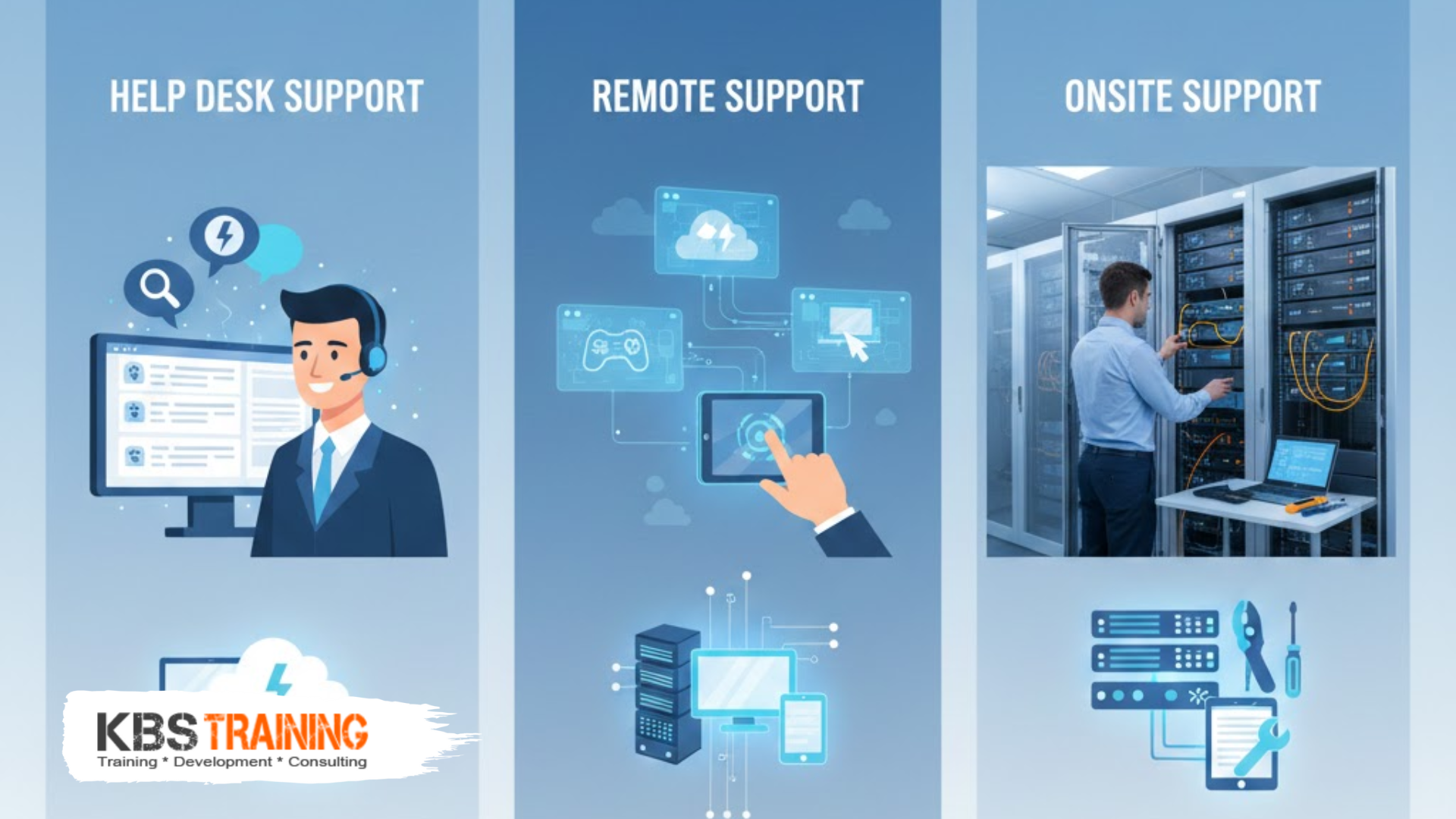
Understanding the three types of IT support—help desk support, remote support, and onsite support—is essential for professionals entering the IT support field and organizations designing their technical assistance strategies. Help desk support handles everyday headaches like forgotten passwords and software questions through phone, email, or chat. Remote support uses special tools to log into devices from anywhere, diagnosing and resolving issues without physical presence. Onsite support provides hands-on assistance for problems requiring physical access to hardware, infrastructure, or complex troubleshooting. KBS Training’s comprehensive IT support training prepares professionals to excel across all three types of IT support, building the technical skills, communication abilities, and problem-solving expertise required for success in each support model.
With over 15 years of IT support training experience, we’ve helped thousands of professionals master help desk support, remote support, and onsite support roles, understanding the unique demands, opportunities, and career paths each support type offers.
Help Desk Support: First Line of IT Defense
Help desk support serves as the initial point of contact for users experiencing technical issues, handling everyday headaches like forgotten passwords, software problems, account access issues, and basic troubleshooting. As the first line of defense in IT support, help desk technicians resolve the majority of user issues quickly while escalating complex problems to specialized teams.
What Help Desk Support Entails
Core Responsibilities:
- Answering incoming support calls, emails, and chat requests from users
- Resetting passwords and unlocking accounts (20-30% of typical tickets)
- Troubleshooting basic software issues (Microsoft Office, email, browsers)
- Creating and managing support tickets in tracking systems (ServiceNow, Jira)
- Providing software installation guidance and basic training
- Escalating unresolved issues to Level 2 support or specialists
- Documenting solutions in knowledge base for future reference
- Following standard operating procedures and troubleshooting workflows
Typical Support Channels:
- Phone Support: Real-time conversations walking users through solutions
- Email Support: Asynchronous communication for non-urgent issues
- Live Chat: Instant messaging for quick questions and guidance
- Self-Service Portals: Knowledge base articles and automated solutions
- Ticketing Systems: Structured request tracking and status updates
Common Issues Handled:
- Password resets and account unlocking (most frequent request)
- Email configuration problems (Outlook, mobile devices)
- Software installation and licensing issues
- Printer connectivity and configuration problems
- Basic network connectivity troubleshooting
- Application error messages and crashes
- Mobile device setup and synchronization
- User access and permission requests
Help Desk Support Work Environment
Typical Setting:
- Centralized support center with multiple technicians handling high call volumes
- Shift-based schedules including early morning, evening, and weekend coverage
- Metrics-driven environment tracking response time, resolution rate, customer satisfaction
- Team atmosphere with senior technicians providing guidance and escalation support
- Mix of phone headsets, multiple monitors, and ticketing system interfaces
Performance Metrics:
- First Call Resolution (FCR): Percentage of issues resolved on initial contact (target: 70-80%)
- Average Handle Time (AHT): Average duration per support interaction (target: 5-15 minutes)
- Customer Satisfaction (CSAT): User ratings of support experience (target: 4.0+/5.0)
- Ticket Volume: Number of tickets handled per shift (varies by complexity)
- Escalation Rate: Percentage requiring transfer to higher support tiers (target: <30%)
Career Progression:
- Entry-level position requiring minimal technical experience
- 6-18 months typical duration before advancing to specialized roles
- Pathway to Level 2 support, desktop support, or specialized teams
- Strong customer service skills as important as technical knowledge
- Foundation for understanding common user issues and troubleshooting methodology
Help Desk Support Compensation and Opportunities
Salary Ranges:
- Entry-Level Help Desk Technician: $35,000-$45,000 annually
- Experienced Help Desk Analyst: $42,000-$55,000 annually
- Help Desk Team Lead: $52,000-$68,000 annually
- Help Desk Manager: $65,000-$85,000 annually
Employment Opportunities:
- High volume of openings due to turnover and business growth
- Many companies offering remote help desk support positions
- 24/7 operations requiring night and weekend shift coverage
- Entry point for career changers and recent graduates
- Stepping stone to higher-level IT positions
Skills Development:
- Customer service and communication excellence
- Troubleshooting methodology and logical problem-solving
- Technical documentation and knowledge management
- Time management under pressure with multiple priorities
- Understanding of common business applications and systems
Remote Support: Technology-Enabled Assistance
Remote support leverages specialized software tools enabling technicians to access, diagnose, and repair computers and devices from anywhere in the world. Remote support uses special tools to log into devices, allowing technicians to see user screens, control systems, transfer files, and resolve issues without physical presence—dramatically reducing resolution time and enabling global support coverage.
How Remote Support Works
Remote Access Technologies:
- Remote Desktop Protocol (RDP): Microsoft’s built-in remote access for Windows systems
- TeamViewer: Cross-platform remote control software for personal and business use
- LogMeIn: Cloud-based remote access and support platform
- ConnectWise Control: MSP-focused remote support and management tool
- Bomgar (BeyondTrust): Enterprise-grade secure remote support solution
- AnyDesk: Lightweight remote desktop application with low latency
- VNC (Virtual Network Computing): Open-source remote desktop protocol
Remote Support Workflow:
- User Request: User contacts support via phone, chat, email, or portal
- Session Initiation: Technician sends remote access invitation or link
- User Acceptance: User approves connection granting technician access
- Diagnosis: Technician views screen, runs diagnostic tools, investigates issue
- Resolution: Technician implements fix (software update, configuration change, malware removal)
- Verification: User confirms problem resolved and functionality restored
- Documentation: Technician records solution in ticket and knowledge base
Capabilities of Remote Support:
- Screen sharing enabling technicians to see exactly what users experience
- Remote control allowing keyboard and mouse operation from distance
- File transfer for pushing software updates, drivers, or configuration files
- Registry editing and system configuration changes
- Software installation and uninstallation
- Virus and malware scanning and removal
- Network diagnostics and connectivity troubleshooting
- Multi-monitor support for complex troubleshooting scenarios
- Session recording for training and quality assurance
Remote Support Advantages
For Organizations:
- Cost Savings: Eliminated travel time and expenses reducing support costs by 60-80%
- Faster Resolution: Immediate access without scheduling or travel (minutes vs. hours/days)
- Global Coverage: Support teams anywhere serving users everywhere
- Scalability: Single technician supporting users across multiple locations simultaneously
- Consistency: Standardized procedures and documentation improving quality
- 24/7 Availability: Distributed teams providing round-the-clock coverage across time zones
For Users:
- Minimal disruption to workflow with quick issue resolution
- No need to transport equipment to IT department
- Real-time collaboration with technician viewing same screen
- Convenience of support from office, home, or remote location
- Immediate assistance without waiting for technician arrival
For IT Professionals:
- Flexibility to work from anywhere (home, central office, anywhere with internet)
- Ability to support more users efficiently without travel constraints
- Exposure to diverse technical environments and issues
- Focus on problem-solving rather than physical labor
- Career opportunities in global support roles and remote-first companies
Remote Support Limitations and Challenges
What Remote Support Cannot Address:
- Hardware failures requiring component replacement (hard drives, memory, power supplies)
- Physical connectivity issues (loose cables, damaged ports, peripheral problems)
- Network infrastructure problems (switch failures, cabling issues)
- Equipment requiring hands-on diagnosis (intermittent hardware problems)
- Security situations requiring physical device isolation or forensic examination
Technical Challenges:
- Network connectivity dependency (no internet = no remote support)
- Bandwidth limitations affecting remote session responsiveness
- Security concerns requiring robust authentication and encryption
- User anxiety about granting remote access to personal or work devices
- Platform compatibility issues across diverse operating systems and configurations
Skill Requirements:
- Strong verbal communication guiding users through acceptance process
- Technical troubleshooting without physical access to equipment
- Security awareness protecting user data during remote sessions
- Documentation discipline recording actions and solutions
- Multi-tasking handling multiple remote sessions efficiently
Remote Support Career Opportunities
Salary Ranges:
- Remote Support Technician: $40,000-$55,000 annually
- Senior Remote Support Specialist: $55,000-$72,000 annually
- Remote Support Team Lead: $68,000-$88,000 annually
- Remote Support Manager: $80,000-$110,000 annually
Work Arrangements:
- Many positions fully remote (work from home permanently)
- Hybrid models with occasional office presence for meetings/training
- Follow-the-sun support with distributed global teams
- Flexible schedules accommodating different time zones
- Contract and MSP (Managed Service Provider) opportunities
Career Development:
- Transition to systems administration or engineering roles
- Specialization in specific technologies (networking, security, cloud)
- Management track overseeing remote support teams
- Solutions architecture designing support infrastructure
- Consulting and fractional IT support for multiple clients
Onsite Support: Hands-On Technical Assistance
Onsite support involves IT professionals physically traveling to user locations to provide hands-on assistance for hardware problems, infrastructure issues, and situations requiring direct equipment access. While remote support handles many issues, onsite support remains essential for physical repairs, equipment installation, complex troubleshooting, and providing personalized assistance to executives and VIP users.
When Onsite Support is Required
Hardware Issues:
- Computer component failures (motherboard, power supply, hard drive)
- Printer repairs and paper jam clearing
- Monitor problems and cable replacement
- Peripheral device installation (scanners, specialty equipment)
- Server hardware maintenance and component upgrades
- Network equipment replacement (routers, switches, access points)
Infrastructure and Facilities:
- Network cabling installation and troubleshooting
- Data center equipment installation (servers, storage arrays)
- Wireless access point deployment and optimization
- Conference room AV equipment setup and support
- Security camera and badge reader system maintenance
- Environmental monitoring and power infrastructure
New Equipment Deployment:
- Desktop and laptop computer imaging and delivery
- Software installation requiring physical media or local network
- Workstation setup and ergonomic configuration
- Mobile device provisioning and configuration
- Specialized equipment installation (medical devices, manufacturing systems)
- Data migration from old to new equipment
VIP and Executive Support:
- White-glove service for C-suite executives and key stakeholders
- In-person training on new systems and applications
- Home office setup and support for remote executives
- Proactive maintenance preventing issues before they occur
- Immediate response for high-priority user issues
Complex Troubleshooting:
- Intermittent problems difficult to reproduce remotely
- Multi-system integration issues requiring physical presence
- Performance problems needing onsite investigation
- Security incidents requiring physical device examination
- Situations where user cannot adequately describe problem remotely
Onsite Support Typical Day
Morning Routine:
- Review scheduled service requests and appointments
- Plan route optimizing travel between locations
- Load vehicle with tools, spare parts, and equipment
- Check inventory ensuring necessary components available
- Coordinate with users confirming appointments and locations
Onsite Visit Process:
- Arrival: Check in with reception or user contact
- Assessment: Gather information about problem and impact
- Diagnosis: Investigate issue using tools and testing
- Resolution: Implement fix (repair, replacement, configuration)
- Verification: Confirm issue resolved and system functional
- User Training: Explain solution and prevention tips
- Documentation: Update ticket with actions taken and parts used
- Departure: Ensure user satisfaction before leaving
Afternoon Activities:
- Return to office for parts restocking and equipment preparation
- Update tickets and documentation from day’s activities
- Coordinate with remote support team on complex issues
- Prepare for next day’s appointments and scheduled maintenance
- Team meetings discussing recurring issues and process improvements
Onsite Support Skills and Requirements
Technical Competencies:
- Hardware troubleshooting and repair expertise
- Operating system installation and configuration
- Network cabling standards and best practices
- Active Directory and user account management
- Backup and data recovery procedures
- Mobile device management and configuration
- Printer and peripheral device support
Soft Skills:
- Excellent interpersonal communication and customer service
- Professional appearance and demeanor for diverse settings
- Time management and route planning efficiency
- Problem-solving with limited remote backup available
- Patience explaining technical concepts to non-technical users
- Flexibility adapting to changing priorities and emergencies
Physical Requirements:
- Ability to lift and move equipment (computers, printers, servers up to 50 lbs)
- Comfortable working in various environments (offices, data centers, warehouses)
- Willingness to travel locally and occasionally regionally
- Valid driver’s license and clean driving record
- Stamina for active day involving walking, standing, bending
- Manual dexterity for detailed hardware work
Onsite Support Career Opportunities
Salary Ranges:
- Field Service Technician: $42,000-$58,000 annually + vehicle allowance
- Desktop Support Specialist: $48,000-$65,000 annually
- Senior Onsite Support Engineer: $65,000-$85,000 annually
- Field Service Manager: $75,000-$105,000 annually
Employment Settings:
- Corporate IT departments supporting single organization
- Managed Service Providers (MSPs) supporting multiple clients
- Hardware vendors providing warranty and break-fix services
- Educational institutions (schools, universities)
- Healthcare facilities requiring specialized support
- Government agencies with security requirements
Benefits and Perks:
- Company vehicle or mileage reimbursement (typically $0.65/mile)
- Mobile device and laptop for work use
- Tools and equipment provided
- Continuing education and certification support
- Variety visiting different locations and environments
- Independence working without constant supervision
Career Advancement:
- Specialization in specific technologies (network, server, security)
- Progression to systems engineering or architecture roles
- Management positions overseeing field service teams
- Transition to datacenter or infrastructure engineering
- Solutions consulting designing IT environments
- Vendor positions supporting enterprise customers
Comparing the Three Types of IT Support
Understanding the differences between help desk support, remote support, and onsite support helps professionals choose career paths aligned with their interests, skills, and lifestyle preferences.
Work Environment Comparison
| Aspect | Help Desk Support | Remote Support | Onsite Support |
|---|---|---|---|
| Location | Call center or office | Office or work-from-home | Various customer sites |
| Schedule | Shift-based (may include nights/weekends) | Flexible or shift-based | Business hours with occasional after-hours |
| Travel | None | None | Daily local travel, occasional regional |
| Physical Activity | Sedentary (desk work) | Sedentary (desk work) | Active (walking, equipment moving) |
| Autonomy | Supervised, team environment | Moderate independence | High independence, self-directed |
| User Interaction | Phone/email/chat only | Remote sessions with voice | Face-to-face, personal interaction |
| Variety | High volume, repetitive issues | Moderate variety, focused problems | Diverse environments and challenges |
Skills and Requirements Comparison
| Skill Category | Help Desk | Remote Support | Onsite Support |
|---|---|---|---|
| Customer Service | Critical | Important | Critical |
| Technical Depth | Basic to intermediate | Intermediate to advanced | Intermediate to advanced |
| Hardware Knowledge | Basic understanding | Limited need | Extensive expertise |
| Software Troubleshooting | Strong foundation | Advanced skills | Strong foundation |
| Communication | Phone etiquette, clarity | Remote instruction ability | Interpersonal, professional presence |
| Physical Requirements | Minimal | Minimal | Moderate (lifting, mobility) |
| Tools Expertise | Ticketing systems | Remote access platforms | Diagnostic tools, hand tools |
| Certifications | CompTIA A+ helpful | CompTIA A+, Network+ valuable | CompTIA A+, vendor certifications |
Compensation and Benefits Comparison
Entry-Level Positions:
- Help Desk: $35,000-$45,000 (lower due to high volume hiring)
- Remote Support: $40,000-$55,000 (premium for technical skills)
- Onsite Support: $42,000-$58,000 (highest due to travel and physical demands)
Mid-Level Positions:
- Help Desk Team Lead: $52,000-$68,000
- Senior Remote Support: $55,000-$72,000
- Senior Onsite Engineer: $65,000-$85,000
Additional Compensation:
- Help Desk: Shift differentials for nights/weekends
- Remote Support: Home office stipend, equipment
- Onsite Support: Vehicle allowance, mileage reimbursement, mobile device
Career Path Differences
Help Desk Career Progression:
- Help Desk Technician → Senior Analyst → Team Lead → Help Desk Manager
- Lateral moves: Desktop Support, Remote Support, Specialized Support
- Timeline: 6-18 months at each level with good performance
Remote Support Career Progression:
- Remote Support Tech → Senior Specialist → Team Lead → Remote Support Manager
- Specialization: Cloud support, security, application-specific support
- Timeline: 12-24 months per level building deep technical expertise
Onsite Support Career Progression:
- Field Technician → Desktop Support → Senior Engineer → Field Service Manager
- Specialization: Datacenter, network infrastructure, executive support
- Timeline: 18-30 months per level gaining breadth of experience
Hybrid IT Support Models
Modern organizations increasingly adopt hybrid IT support models combining help desk support, remote support, and onsite support for optimal efficiency and user satisfaction.
Tiered Support Structure
Level 1 (Help Desk):
- Initial contact point for all support requests
- Handles 60-70% of issues through phone/email/chat guidance
- Escalates unresolved issues to Level 2 or specialized teams
- Creates detailed tickets with troubleshooting steps attempted
- Focus on customer service and quick resolution of common problems
Level 2 (Remote Support):
- Receives escalated issues requiring deeper technical expertise
- Uses remote access tools for hands-on troubleshooting
- Resolves 20-25% of remaining issues remotely
- Escalates complex problems to Level 3 or dispatches onsite support
- Documents advanced troubleshooting procedures and solutions
Level 3 (Specialized/Onsite):
- Handles most complex technical challenges and emergencies
- Combines remote expertise with onsite presence when needed
- Resolves remaining 5-10% of issues requiring specialist knowledge
- Includes onsite visits for hardware and infrastructure problems
- Focus on root cause analysis and permanent problem resolution
Follow-Me Support Model
Users experience seamless support regardless of location:
- At Office: Help desk call, escalate to remote if needed, dispatch onsite for hardware
- Remote Working: All support via help desk and remote tools, ship replacement parts if needed
- Traveling: Mobile device support remotely, coordinate with local onsite vendors
- Home Office: Mix of remote support and scheduled onsite visits for complex issues
Managed Service Provider (MSP) Approach
External IT companies providing all three types of IT support to client organizations:
- 24/7 help desk support via phone and ticketing portal
- Remote monitoring and management with proactive support
- Scheduled onsite visits (weekly, monthly) plus on-demand service
- Single point of contact for all IT needs
- Predictable monthly pricing replacing unpredictable internal IT costs
KBS Training’s Comprehensive IT Support Preparation
Our training programs prepare professionals for success across all three types of IT support, understanding that versatility and broad skill development create the strongest career foundation.
Multi-Disciplinary Curriculum
Help Desk Support Training:
- Customer service excellence and professional communication
- Ticketing system operation (ServiceNow, Jira Service Management)
- Common user issues and standard troubleshooting workflows
- Password management and account administration
- Email client configuration and troubleshooting
- Documentation and knowledge base article creation
Remote Support Training:
- Remote access tools (TeamViewer, LogMeIn, RDP configuration)
- Security best practices for remote sessions
- Verbal troubleshooting guiding users through steps
- Software installation and configuration remotely
- Network diagnostics using remote command-line tools
- Multi-session management and prioritization
Onsite Support Training:
- Hardware troubleshooting and component replacement
- Cable management and network infrastructure basics
- Desktop imaging and software deployment
- Printer installation, configuration, and maintenance
- Data backup and recovery procedures
- Professional conduct and customer site etiquette
Hands-On Lab Experience
Virtual Lab Environment:
- Practice ticketing systems simulating real support workflows
- Remote access tools connecting to virtual machines
- Troubleshooting scenarios requiring diagnosis and resolution
- Documentation exercises building knowledge base articles
- Timed challenges simulating pressure of production environment
Physical Lab Facilities:
- Actual computers, servers, and network equipment for hands-on practice
- Hardware disassembly and component replacement training
- Network cabling and infrastructure setup experience
- Printer maintenance and troubleshooting practice
- Real-world equipment failures for diagnostic skill building
Certification Preparation
Essential Certifications:
- CompTIA A+ (hardware and software fundamentals)
- CompTIA Network+ (networking for all support types)
- HDI Support Center Analyst (help desk specific)
- ITIL Foundation (service management framework)
Specialized Certifications:
- Microsoft 365 Certified: Fundamentals (help desk software support)
- CompTIA Security+ (security-aware support practices)
- Apple Certified Support Professional (Mac support)
- Vendor-specific certifications (Dell, HP, Cisco)
Career Placement Support
Resume Optimization:
- Highlighting skills relevant to target support type
- Achievement-based bullets with metrics and impact
- Keyword optimization for applicant tracking systems
- Multiple resume versions for different support roles
Interview Preparation:
- Technical scenarios for each support type
- Customer service situational questions
- Behavioral interview coaching (STAR method)
- Salary negotiation for support positions
Job Connections:
- 100% job assistance connecting graduates with employers
- Partnerships with help desk staffing firms
- MSP relationships needing onsite technicians
- Corporate IT department direct hiring connections
- Remote support positions for work-from-home candidates
Choosing Your IT Support Career Path
Deciding between help desk support, remote support, and onsite support depends on personal preferences, skills, lifestyle considerations, and career goals.
Help Desk Support is Best For:
- Entry-level professionals starting IT careers with minimal experience
- People-oriented individuals who enjoy helping others solve problems
- Structure-seekers who thrive in organized, process-driven environments
- Quick learners absorbing common issues and building knowledge rapidly
- Team players who appreciate collaborative, supportive work environments
- Career explorers using help desk as foundation for exploring IT specializations
Remote Support is Best For:
- Technical problem-solvers who enjoy diagnosing complex issues
- Independent workers comfortable with autonomy and self-direction
- Home-based workers seeking work-from-home opportunities
- Technology enthusiasts staying current with remote access and automation tools
- Global citizens interested in supporting international user bases
- Efficiency optimizers who appreciate maximizing support through technology
Onsite Support is Best For:
- Hands-on learners who enjoy working directly with hardware
- Active individuals preferring physical activity over desk-based work
- Variety-seekers wanting diverse environments and challenges daily
- Relationship-builders valuing face-to-face user interactions
- Problem-solvers who tackle issues requiring physical presence
- Independence-oriented professionals comfortable working solo at client sites
Contact KBS Training for IT Support Career Success
Whether you’re drawn to help desk support handling everyday headaches, remote support using special tools to diagnose issues, or onsite support providing hands-on assistance, KBS Training prepares you for success across all three types of IT support.
Start Your IT Support Career:
- Website: www.kbstraining.com
- Free Consultation: Discuss which IT support type matches your interests
- Comprehensive Training: Programs covering help desk, remote, and onsite support
- Job Placement: 100% job assistance connecting you with opportunities
At KBS Training, our 15+ years of IT support training experience means we understand the unique requirements, opportunities, and career paths for help desk support, remote support, and onsite support roles. We prepare you with technical skills, soft skills, certifications, and real-world experience employers demand.
Ready to begin your IT support career mastering help desk, remote, and onsite support? Contact KBS Training today for comprehensive training and job support preparing you for success across all three types of IT support roles.
Outbound Links to Authoritative Resources
- CompTIA IT Career Path – Support Specialist Track
- HDI (Help Desk Institute) – Support Center Certifications
- ITIL Foundation – Service Management Framework
- Bureau of Labor Statistics – Computer Support Specialists
- Microsoft Learn – IT Support Learning Paths
